




















【取り寄せ品(目安1-3週間)】
代金引換はできません(要 前入金)。
●銀行振込は「受注可能のお知らせ」という件名メールが届いてから入金してください。
注意:注文直後の自動返信で振り込まないでください。
もしくは,注文直前に問い合わせよりご確認下さい。
●クレジットカード決済は通常通り,ご注文ください。
※在庫確保後のキャンセルは一切致しかねます。
※他品と同時注文の場合,同梱発送となります。
その他例は,最下部に動画掲載
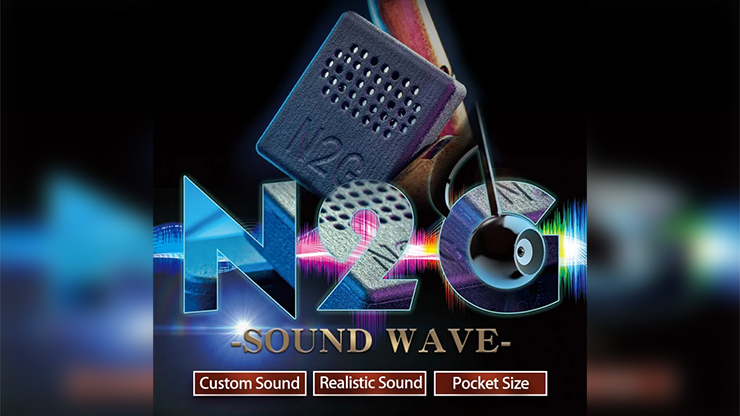
N2G製の小型スピーカーで,擬音による騙しが自由自在に行えます。
プリセット(あらかじめの効果音)が29種類もあります。
また「好きな音」を収録しても使えます。
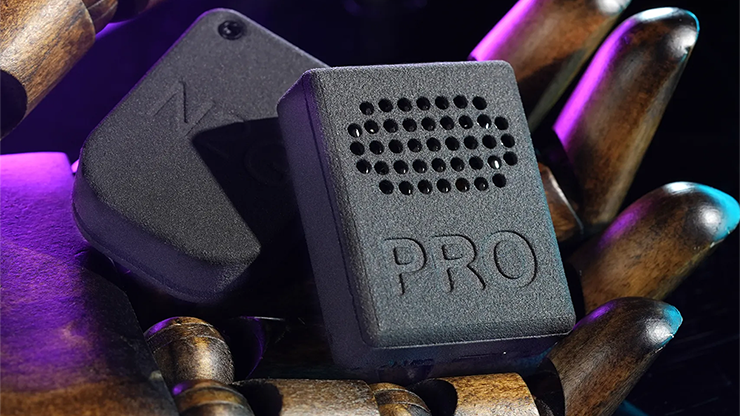
サウンド ウェーブの改良版でPROの名称です。
旧品とお間違いなくどうぞ。
---
●6種類のルーティン(アルバム)を切り替えて,それぞれ最初から順番に,ボタンを押すごとに再生してくれます。
●音量は三段階で変更できます。

Henry Harrius(ルービックキューブ系で有名なクリエイター)も推薦コメントを寄せています。
"小さいながらも高音質だ "と褒めています。

<商品内容>
デバイス&リモートコントローラー
解説動画(英語)
日本語 解説書(マギカ作成)
▼詳しくは,以下の英原文・自動翻訳(参考)をお読みください。

参考)自動翻訳
🎵 SoundWave Pro – マジシャンのためのサウンド・ギミック
全29種類のプロ仕様マジック用効果音を内蔵!
-
コイン貫通カップ
-
炭酸ボトルの開栓音
-
メンタル予言の演出音
-
クリスマスの雰囲気音
-
ガラスが割れる音
-
透明楽器のパフォーマンス音
-
…など、計29種類のプレミアム効果音を収録!
🔧 特徴
✅ 大容量メモリ & カスタマイズ簡単!
-
オリジナル音声をPCで簡単に追加可能
-
効果音はフォルダごとに分類管理
-
電源OFFでも設定を保持
✅ 環境にやさしい3Dプリント設計
-
ナイロン素材採用で軽量かつ高耐久
-
精密加工技術で美しい外観と手触り
-
エコ志向の製造プロセス
🎩 マジックに最適化されたサウンドツール
-
クロースアップ、ステージ、即興などあらゆる演技に対応
-
小型&隠しやすいデザインで観客に気づかれにくい
-
操作も非常に簡単!複雑な設定は一切不要
✨ プロも絶賛!
「趣味のマジシャンや予算を抑えたい方にも最適!クオリティも高く、操作も簡単です!」
― ニコラス・ローレンス
「リアルな音で説得力を加えるならこれ一択。即座に効果音を切り替えられるのが便利。現場向けに超おすすめ!」
― パトリック・クン
「このサイズでこの音質!?持ち運びやすく、効果音も本当にリアル!」
― ヘンリー・ハリアス
「これは楽しくて自由で、しかもコストパフォーマンスも最高。音の演出が"現実"になる!」
― エルヴィス・ジェン
💡 よくある質問(Q&A)
Q: どうやって電源を入れて使用しますか?
A: リモコンのボタンを押すと電源ON(2秒待機)、再度押すと即時再生。青色LEDが再生中に点灯、終了時に消灯。
Q: フォルダ切り替えは?
A: 「T」ボタンを押してフォルダ1~6を切替。青LEDの点滅回数が現在のフォルダ番号を示します。
Q: 音量調整は?
A: 「V」ボタンを押すごとに**3段階の音量(低/中/高)**を循環。赤LEDが1~3回点滅で音量を表示。
Q: 再生の遅延は設定できますか?
A: 「V」ボタンを2秒長押しで遅延モードへ。1回押すごとに1秒追加(最大60秒)。5秒間操作がなければ自動保存(オレンジLEDが3回点滅)。
5秒長押しで遅延設定をリセット。
Q: 電源OFFしても設定は残りますか?
A: はい、音量と遅延の設定は記憶されます。
Q: 充電方法は?
A: 電源OFF状態でType-Cケーブルにて充電。赤LED=充電中、緑LED=満充電。
Q: カスタム音声の追加方法は?
A: USB接続でPCに接続後、フォルダへドラッグ&ドロップするだけでOK。
📐 製品仕様
| 項目 | 内容 |
|---|---|
| サウンダー本体 | サイズ: 40×32×12mm / 重量: 17g |
| リモコン | サイズ: 44×30×10mm / 重量: 10g |
SoundWave Pro
マジックを“音”でレベルアップする秘密兵器──
あなたのパフォーマンスに命を吹き込みましょう。

【アイディア】
英原文)
29 Professional Magic Sound Effects
Coin through cup
Soda bottle opening
Mind prediction
Christmas ambiance
Breaking glass
Invisible instrument performance
(plus 23 more premium effects)
Large memory | Hassle-Free Customization
3D Printing Technology
High material utilization
Precision engineering
Eco-friendly production
Nylon Material
Exceptional detail reproduction
Long-lasting durability
A sound effect tool designed specifically for magicians, making your performance more mysterious and more shocking! Whether it is close-up magic, stage show or impromptu interaction, SoundWave Pro will accurately create an immersive sound experience for you!
Extremely simple operation: No complicated settings required, just use it right away!
Highly concealed: Small and portable, easy to hide without the audience noticing!
"This device is great for the hobbyist & Magician on a budget! Great quality and easy to use!"
- Nicholas Lawrence
"If you looking to add a realistic audible convincer to your magic then this is the one. It's super compact with an option to switch routines in the fly. Highly recommend it for workers."
-Patrick Kun
"It is one of the smallest and easiest to carry of its kind, but at the same time with surprisingly good and realistic sound quality. Good job!"
- Henry Harrius
"Fun, freedom, cost effective... Reality, you can buy! "
- Elvis Zheng
Q&A
Q: How to power on and use?
A: Press the remote to power on (wait 2 seconds), press again to play the first sound effect immediately. Blue LED stays on during playback, turns off when finished.
Q: How to switch folders?
A: Press "T" to switch between 6 folders (1-6). The blue LED flashes corresponding times to indicate current folder number.
Q: How to adjust volume?
A: Press "V" to cycle through 3 volume levels. Red LED flashes 1/2/3 times for low/medium/high volume respectively.
Q: How to set delayed playback?
A: Long press "V" for 2 seconds to enter delay mode. Each press adds 1 second (up to 60 seconds). After 5 seconds, orange LED flashes 3 times to confirm saving. Long press for 5 seconds to clear settings.
Q: How does power-off memory work?
A: SoundWave Pro retains your last volume level and delay time settings even after power-off.
Q: How to charge?
A: Power off first, then charge via Type-C cable. Red LED = charging, green LED = fully charged.
Q: How to add custom sound effects?
A: Connect to computer via USB, then simply drag and drop audio files into corresponding folders.
Q: What are the dimensions and weight of this Soundwave pro?
A: Sounder: Dimensions - 40mm*32mm*12mm, Weight - 17 grams. Remote Control: Dimensions - 44mm*30mm*10mm, Weight - 10 grams.